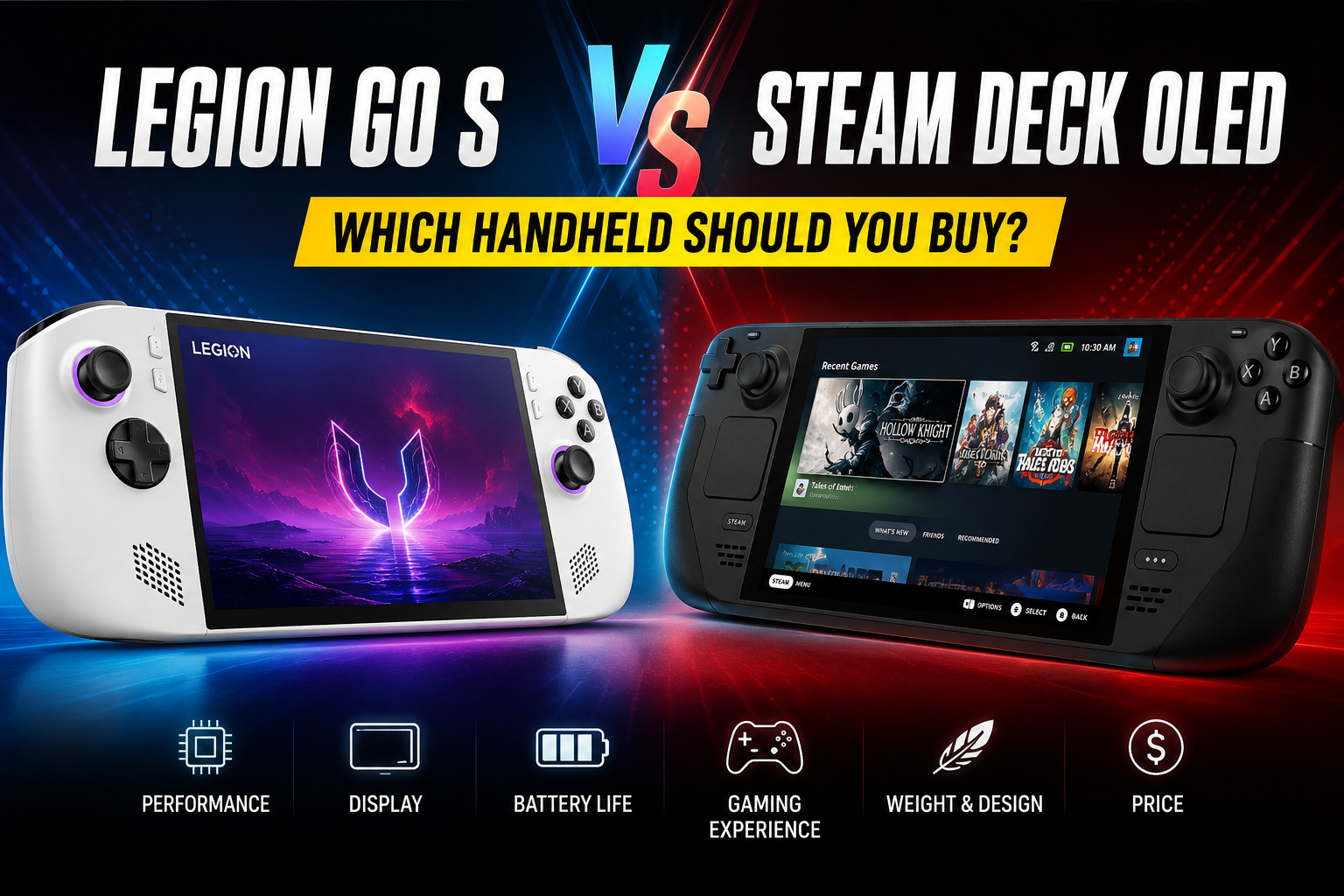
Legion Go S vs Steam Deck OLED: 10 Things You Should Know Before Buying

Choosing the right handheld gaming PC can quickly become confusing. Especially with the Legion Go S vs Steam Deck OLED comparison. Both can run PC games, but they take different approaches. The Legion Go S offers a larger 8-inch display and up to a 120Hz refresh rate, while the Steam Deck OLED has a 7.4-inch OLED screen with up to 90Hz. These differences can affect how games look and how comfortable the device feels during long sessions.
I think the first thing to check is how you plan to play. A larger screen may matter if you play at home or read a lot of small text. A lighter device can be more useful if you carry it around often. I feel the operating system also deserves attention, since Windows and SteamOS can give you a very different experience.
This comparison will break down the main differences without drowning you in technical numbers. You’ll see how the displays, processors, battery sizes, controls, storage, weight, and operating systems compare. You’ll also learn which details to check before buying, especially because different Legion Go S models can have different processors.
In the end, you should have a clearer idea of what separates these two handhelds. The small details can matter once you spend hours holding the device or managing your game library. So, let’s look at the Legion Go S vs Steam Deck OLED comparison and see what each one brings to the table.
Legion Go S vs Steam Deck OLED: Quick Comparison
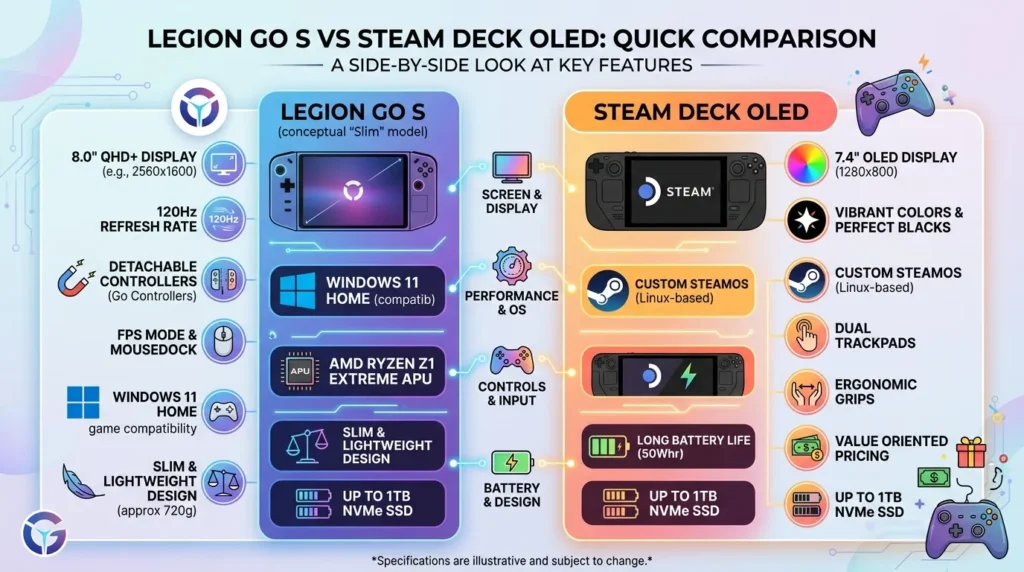
The Legion Go S is larger and has a higher-resolution display. Depending on the model, it can also have up to 32GB of LPDDR5X memory and comes with either Windows 11 or SteamOS on supported versions.
The Steam Deck OLED has 16GB of LPDDR5 RAM and uses SteamOS 3. Its OLED panel supports HDR, while its lower resolution helps keep the graphics workload more manageable for the hardware.
Both handhelds support microSD storage and have 512GB and 1TB storage configurations. The main differences become clearer when you look at the screen, processor, controls, software, and weight.
| Feature | Legion Go S | Steam Deck OLED |
|---|---|---|
| Display | 8-inch IPS | 7.4-inch OLED |
| Resolution | 1920 × 1200 | 1280 × 800 |
| Refresh rate | Up to 120Hz | Up to 90Hz |
| Battery | 55.5Wh | 50Wh |
| RAM | Up to 32GB | 16GB |
| Storage | 512GB / 1TB options | 512GB / 1TB |
| microSD | Yes | Yes |
| Operating system | Windows 11 or SteamOS, depending on model | SteamOS 3 |
| Weight | Around 730g | Around 640g |
What Is the Legion Go S?
The Legion Go S is a handheld gaming PC from Lenovo. It has an 8-inch display, built-in controls, a touchpad, Hall-effect joysticks, and USB-C connectivity.
One important point is that the Legion Go S comes in different hardware versions. Some models use the AMD Ryzen Z2 Go, while others use the Ryzen Z1 Extreme.
That processor difference can affect gaming performance. If you are comparing a Legion Go S with a Steam Deck OLED, check the exact processor first rather than treating every Legion Go S model as the same.
What Is the Steam Deck OLED?
The Steam Deck OLED is Valve’s updated version of the Steam Deck. It has a 7.4-inch HDR OLED display, 16GB of memory, and a 50Wh battery.
The device runs SteamOS 3, which is designed around handheld gaming. Its interface lets you manage your Steam library, install games, change settings, and use many features without dealing with a normal desktop.
The Steam Deck OLED also has two trackpads and four rear grip buttons. These controls can be useful for PC games that are not designed mainly around a standard gamepad.
Also see: PS5 vs PS5 Pro: Which PlayStation Console Should You Buy in 2026?
Display Size and Resolution
The Legion Go S has a larger 8-inch screen, which gives games more physical screen space. Its 1920 × 1200 resolution also provides more pixels than the Steam Deck OLED.
The Steam Deck OLED uses a 7.4-inch display with a 1280 × 800 resolution. It has fewer pixels, but the OLED panel can produce deep blacks and strong contrast, especially in dark games.
The refresh rate is another difference. The Legion Go S can reach 120Hz, while the Steam Deck OLED reaches 90Hz, so supported content can look smoother on the higher-refresh display.
IPS vs OLED Display
The Legion Go S uses an IPS display. IPS panels are common in laptops and monitors, and they can provide good viewing angles and image quality for games and everyday use.
The Steam Deck OLED uses an OLED panel. Each pixel can control its own light output, which allows the screen to display very dark blacks without the same type of backlight used by an IPS screen.
This does not mean one display is better for every person. Some users may prefer the larger screen and higher resolution of the Legion Go S, while others may care more about OLED contrast and HDR support.
Performance and Processor Options
Performance is one of the areas where the Legion Go S vs Steam Deck OLED comparison needs careful attention. The Legion Go S is sold with different AMD processor options.
The Ryzen Z1 Extreme version has 8 CPU cores and 16 threads. The Ryzen Z2 Go version has 4 cores and 8 threads, so these two Legion Go S models should not be treated as identical.
The Steam Deck OLED uses a custom AMD APU with a 4-core, 8-thread Zen 2 CPU and RDNA 2 graphics. Actual gaming results depend on the game, graphics settings, resolution, power settings, and other factors.
Gaming Performance
A higher specification does not automatically tell you how every game will run. PC games place different demands on the CPU, GPU, memory, and storage.
The Legion Go S can run demanding PC games, but the results depend on the processor inside the specific model. A Z1 Extreme version is a different comparison from a Z2 Go version.
The Steam Deck OLED is designed around the SteamOS gaming environment. Many games work well with the platform, while some games may require additional steps or may not work because of launcher or anti-cheat requirements.
Battery Capacity and Battery Life
The Legion Go S has a 55.5Wh battery, while the Steam Deck OLED has a 50Wh battery. This gives the Legion Go S a larger battery capacity on paper.
Battery capacity does not tell you the exact number of hours you will play. A demanding game, high brightness, high refresh rate, and higher power settings can drain a battery much faster.
Valve rates the Steam Deck OLED for roughly 3 to 12 hours depending on the game and content. Actual battery time can vary, so it is better to treat the rating as a range rather than a fixed result.
Weight and Hand Comfort
The Steam Deck OLED weighs around 640g. The Legion Go S is around 730g, although the exact weight can vary by configuration.
That difference is worth thinking about if you often play while holding the device. A heavier handheld may feel fine for a short session but become more noticeable during longer gaming sessions.
The larger screen on the Legion Go S also adds to its physical size. Before buying, think about how you normally play, where you hold the device, and whether you carry it around often.
SteamOS vs Windows 11
Operating system choice is a major part of the Legion Go S vs Steam Deck OLED discussion. The Steam Deck OLED runs SteamOS 3, while many Legion Go S models use Windows 11.
SteamOS is built around handheld gaming and Steam. Windows gives you access to a normal desktop environment and a wider range of PC software and game launchers.
Some Legion Go S versions also use SteamOS. Because of this, check the operating system listed for the exact model before buying instead of assuming every Legion Go S uses Windows.
Steam Deck OLED for Steam Games
The Steam Deck OLED is closely tied to the Steam platform. You can open your game library, download games, change graphics settings, and manage your device from the handheld interface.
The system also includes two trackpads. These can help with strategy games, older PC titles, and other software that works better with mouse movement.
Not every PC game works the same way on SteamOS. Games using certain anti-cheat systems or launchers can have compatibility issues, so checking individual games before buying is a good idea.
Legion Go S for Windows Gaming
A Windows-based Legion Go S can run Steam along with other PC game services. This includes launchers and software that are made for Windows.
This can be useful if your games are spread across different stores. You can also install regular Windows applications, browse the web, manage files, and use the handheld more like a small computer.
The tradeoff is the Windows interface. Some desktop menus are easier to use with a mouse and keyboard than with handheld controls, so you may need the touchpad or touchscreen for certain tasks.
Controls and Input Options
The Legion Go S has Hall-effect joysticks, a touchpad, buttons, triggers, and additional controls. Hall-effect sticks use magnetic sensors to detect movement rather than relying on traditional contact-based sensing.
The Steam Deck OLED has two analog sticks, two trackpads, a touchscreen, triggers, buttons, and four rear grip buttons. The trackpads give you an extra input method that many handheld PCs do not have.
Think about the types of games you play. Standard controller games may work well with either device, while strategy, simulation, older PC, and mouse-heavy games may make the extra input options more important.
Storage and microSD Support
Both handhelds offer internal storage options that can be useful for modern PC games. The Legion Go S is available with configurations such as 512GB and 1TB, depending on the model.
The Steam Deck OLED also comes with 512GB and 1TB storage options. Both devices have microSD card support, so you can add more storage without opening the handheld.
Large games can fill storage quickly. If you keep many games installed at once, check the storage size before buying because removing and reinstalling large games can take time.
USB-C and Connectivity
The Legion Go S has two USB4 Type-C ports. Having two USB-C ports gives you more flexibility when connecting accessories, displays, storage devices, or other equipment.
The Steam Deck OLED has one USB-C port. It supports charging, USB connectivity, and DisplayPort output, and a dock or hub can add more connection options.
If you plan to connect an external monitor, keyboard, mouse, or several accessories at the same time, port selection matters. Check what your setup needs before choosing a handheld.
Which One Is Easier to Carry?
The Steam Deck OLED has the lower weight at around 640g. This can make a difference when you are carrying it in a backpack or holding it for long periods.
The Legion Go S is heavier but gives you an 8-inch display. The larger screen may be useful if you want more space for games, text, menus, or Windows applications.
A case and charger also add weight to your bag. When planning for travel, consider the complete setup instead of looking only at the handheld’s listed weight.
Common Buying Mistakes
One common mistake is comparing the Legion Go S without checking the processor. A Z2 Go model and a Z1 Extreme model have different CPU configurations, so the model number and processor should be checked before making a performance comparison.
Another mistake is assuming a bigger battery means longer battery life. Power use depends on the game, display settings, brightness, refresh rate, processor load, and other settings.
It is also easy to forget about software compatibility. If you play games with special launchers or anti-cheat systems, check whether those games work properly on your preferred operating system.
Legion Go S vs Steam Deck OLED for Different Players
The Legion Go S may suit someone who wants a larger display, higher refresh rate, and access to Windows on supported versions. The exact processor is still important because different models can give you different hardware.
The Steam Deck OLED may suit someone who mainly plays Steam games and wants SteamOS with an OLED display. Its lighter body and trackpads are also worth considering for handheld gaming.
The right choice depends on how you use a handheld. Look at your game library, preferred operating system, screen needs, travel habits, storage needs, and budget before making the final decision.
What Should You Check Before Buying?
Start with the processor and operating system. For the Legion Go S, confirm whether the model uses Ryzen Z2 Go or Ryzen Z1 Extreme and check whether it comes with Windows or SteamOS.
Next, check the display and physical size. The Legion Go S gives you an 8-inch 1920 × 1200 IPS display, while the Steam Deck OLED gives you a 7.4-inch 1280 × 800 OLED display.
Finally, check your games and accessories. Make sure the games you play work on your chosen operating system and that the device has enough ports and storage for the way you plan to use it.
Legion Go S vs Steam Deck OLED FAQs
Is the Legion Go S faster than the Steam Deck OLED?
There is no single answer because the Legion Go S comes with different processors. The Ryzen Z1 Extreme version and Ryzen Z2 Go version should be compared separately.
The Steam Deck OLED uses a custom AMD APU with 4 CPU cores and 8 threads. Game performance also depends on resolution, graphics settings, power limits, and the individual game.
Which has the larger screen?
The Legion Go S has the larger display at 8 inches. The Steam Deck OLED has a 7.4-inch screen.
The Legion Go S also has a 1920 × 1200 resolution, while the Steam Deck OLED uses 1280 × 800. The Steam Deck OLED uses OLED technology and supports HDR.
Which one weighs less?
The Steam Deck OLED weighs around 640g. The Legion Go S weighs around 730g depending on its configuration.
The difference is about 90g. This can matter during long handheld sessions or when you carry the device with other travel equipment.
Does the Legion Go S use Windows?
Many Legion Go S models use Windows 11. However, SteamOS versions are also available, so the operating system depends on the specific model.
Check the product specifications before buying. This is especially important if you prefer Windows software or want a SteamOS-focused setup.
Can both devices use microSD cards?
Yes. Both the Legion Go S and Steam Deck OLED support microSD cards for additional storage.
A microSD card can be useful for keeping extra games installed. Internal storage can still be preferable for users who want faster access to their most-played games.
Final Thoughts on Legion Go S vs Steam Deck OLED
The Legion Go S vs Steam Deck OLED comparison has several clear hardware differences. The Legion Go S has an 8-inch IPS display, higher resolution, up to 120Hz refresh rate, and a larger 55.5Wh battery.
The Steam Deck OLED has a 7.4-inch HDR OLED display, a 90Hz refresh rate, a 50Wh battery, and a lighter body. It also uses SteamOS 3 and includes two trackpads for different types of PC games.
Before choosing, check the exact Legion Go S processor and operating system, then look at the games you play most often. Screen type, weight, controls, software, storage, and ports can all affect how useful the handheld is for your day-to-day gaming.