Google Block Breaker Rules: How to Play, Control the Paddle, and Clear the Blocks

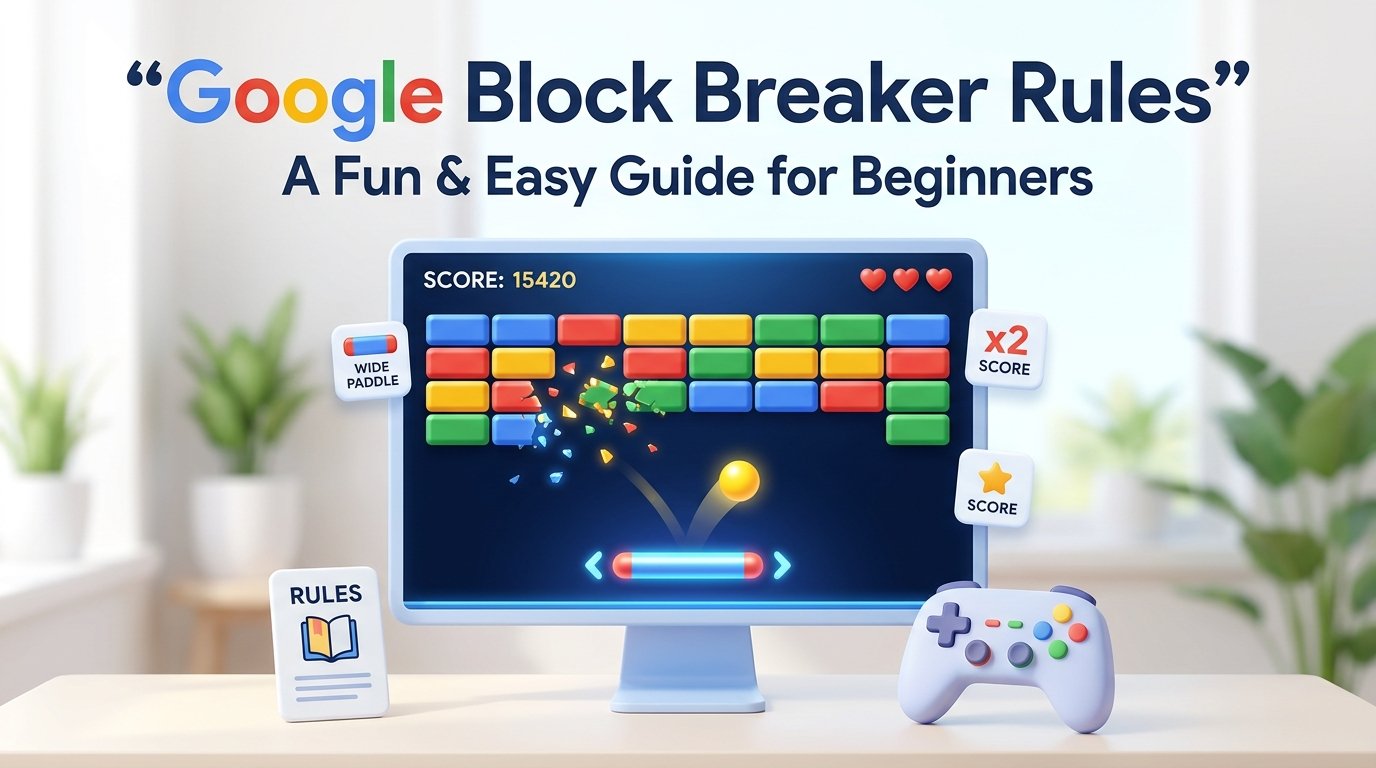
Google Block Breaker is a simple browser game built around a paddle, a bouncing ball, and a screen full of blocks. The basic rule is easy. Keep the ball in play and use it to break the blocks. If the ball gets past your paddle, you lose a life.
That is the main idea, but there are a few details worth knowing before you start. Paddle movement, ball direction, lives, block types, power-ups, and level progression can all affect how a round works. Some versions found online also include features that aren’t part of other versions, which can make online guides confusing.
Google’s Block Breaker can be accessed through Google Search when the game is available. Current guides describe it as a browser-based game that does not require a separate download or app. Availability and the exact way the game appears can change over time, though.
What Is Google Block Breaker?
Google Block Breaker is a Breakout-style game where you control a paddle near the bottom of the screen. A ball moves around the play area, bouncing off the walls, blocks, and paddle. For a concise overview of the rules, see this guide:
Google Block Breaker Rules.
The purpose is to destroy the breakable blocks.
You do that by keeping the paddle underneath the ball. Each time the ball reaches the bottom area, you need to move the paddle into its path. If you position it correctly, the ball bounces back upward and can hit more blocks.
Google Block Breaker sounds very simple because it is. The difficulty comes from the ball’s speed and the need to react before it reaches the bottom.
Current descriptions of the game report one ball or lives at the start of a run. Losing the ball costs one of them.
What Is the Main Goal?
The main goal is to destroy all of the breakable blocks on the board.
You are not trying to move the paddle into the blocks. The paddle only controls the ball. The ball does the actual work of hitting and removing the blocks.
A normal round works like this:
- Start the game.
- Launch the ball.
- Move the paddle from side to side.
- Keep the ball from falling.
- Let the ball hit the blocks.
- Continue until the breakable blocks are cleared or your lives run out.
When the ball hits a block, that block may disappear. Some versions also include blocks that need more than one hit or have a different function.
How Do You Control the Paddle?
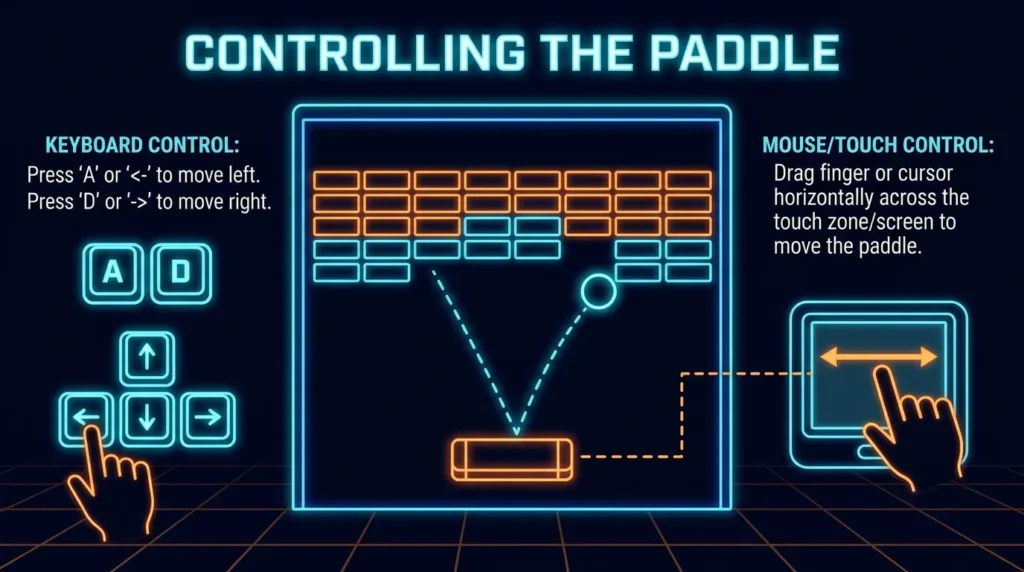
The paddle moves horizontally. It does not move freely around the whole screen.
On desktop, current versions report several control options. These can include the left and right arrow keys, A and D keys, or mouse movement, depending on the version. Mobile versions can use finger dragging or swiping.
A common control setup looks like this:
| Action | Desktop | Mobile |
|---|---|---|
| Move left | Left Arrow or A | Drag left |
| Move right | Right Arrow or D | Drag right |
| Launch ball | Space or click | Tap |
| Move paddle | Mouse in some versions | Finger drag |
Do not worry if an online guide gives you different controls from what you see. There are several third-party Block Breaker games online, and their control systems are not identical.
The safest approach is to look at the instructions shown by the game you are actually playing.
How Do You Launch the Ball?
The ball normally starts near the paddle before the round begins.
You then launch it into the play area. Depending on the version, this may be done by pressing Space, clicking the game, tapping the screen, or using another listed control.
Once the ball is launched, it continues moving until it hits another surface.
You do not need to keep pressing a button to make the ball move. Your job is mainly to control the paddle and keep the ball from falling.
What Happens When the Ball Hits a Block?
The ball bounces into the blocks near the top of the screen.
A breakable block is removed when it has received the required number of hits. In some versions, ordinary blocks disappear after one hit. Other versions include blocks that need several hits.
This can change how you play.
If a block takes multiple hits, you may see the ball return to the same area several times before the block disappears. There is no need to panic and start moving the paddle randomly. Keep watching the ball and let the next bounce happen.
The game is mostly about timing. You do not have to control the ball directly.
What Happens If You Miss the Ball?
If the ball passes the paddle and falls off the bottom of the playing area, you lose a life.
Current descriptions commonly list three starting lives.
For example, if you start with three lives and miss the ball once, you have two left. Miss again and you have one. If you lose the final life, the round ends.
This is why the blocks are not the only thing you need to watch.
A player can break blocks quickly but still lose if the paddle is not in the right place when the ball comes down.
How Does the Ball Change Direction?
The ball does not always travel in the same direction.
It can bounce from the walls, blocks, and paddle. The point where it hits the paddle can also affect the direction of its next movement.
Several current versions describe this as angle control. A center hit can send the ball upward more directly, while a hit closer to one side of the paddle can send the ball toward that side.
This is useful when you have blocks left in one area of the board.
For example, if most of the blocks on the left side are gone but several remain on the right, you can try to change the ball’s direction with the paddle so it travels toward the remaining blocks.
You do not need to make every shot perfect. Just pay attention to how the ball reacts.
What Are the Lives Rules?
The life system is one of the easiest parts of Google Block Breaker to understand.
You normally begin with three lives in the versions that use this system. A missed ball costs one life. Once all lives are gone, the game ends.
Some versions can give you another life through a power-up.
For example, one current version lists an extra-life item that can restore a life, with a maximum of five lives in that version.
That does not mean every Block Breaker game has the same maximum. It is a feature of the particular version.
Also see: PlayStation Portal OLED: Release Date, Price, Rumors, Specs, and What We Know
What Are Power-Ups in Google Block Breaker?
Some versions include power-ups that fall from destroyed blocks.
The paddle needs to catch these falling items for their effects to activate.
One current version lists power-ups such as:
- Wide Paddle: Makes the paddle larger for a limited period.
- Multi-Ball: Creates three balls moving at different angles.
- Fire Ball: Lets the ball move through blocks for a short period.
- Slow Motion: Temporarily reduces the ball’s speed.
- Laser: Gives the paddle laser beams.
- Shield: Protects against one missed ball.
- Extra Life: Adds another life.
- Bomb: Removes nearby blocks.
These can make a round easier, but you still have to pay attention to the ball.
A common mistake is moving the paddle toward a falling power-up while the ball is heading toward a different part of the screen. Catching a bonus is not worth losing a life.
Are All Power-Ups Helpful?
Not necessarily, and this is where different versions matter.
Some versions only list helpful power-ups. Other versions describe falling hazards or negative effects. One current Block Breaker implementation reports both useful and harmful drops, including effects that can makes the paddle smaller or interfere with play.
So if you are playing a particular version and see an unfamiliar item falling from a block, do not assume it is automatically helpful.
Check the game’s own instructions.
This also shows why copying a list of power-ups from one website into an article about another version can cause problems. The games may have different mechanics.
What Are Special Blocks?
Some versions contain more than one type of block.
A normal block can disappear after being hit. A multi-hit block may require several hits. Some versions also include blocks that cannot be destroyed in the normal way.
Special blocks can change the ball’s path.
An indestructible block, for example, can act as a permanent surface for the ball to bounce from. You do not need to waste time trying to destroy it if the game treats it as an obstacle.
The important thing is to look at how the specific game marks its blocks.
Not every website has the same block system.
Does Google Block Breaker Have Levels?
Many versions use levels or stages.
The basic idea is that once the required breakable blocks are gone, the game moves to another board. The next board may have a different layout or move at a higher speed.
One current third-party version describes 10 levels and says multi-hit bricks appear from Level 4, with indestructible steel bricks appearing from Level 5.
Those details should be treated as rules for that implementation, not as universal rules for every game called Google Block Breaker
If your game shows different levels, follow the rules displayed there.
How Does Scoring Work?
Scoring can also vary.
Some Block Breaker versions award points for destroying blocks and may add combo bonuses when you keep breaking blocks without losing the ball. One current third-party version advertises a combo multiplier reaching x8.
Other pages report different point values and multiplier systems.
Because these numbers are not consistent across the current search results, you should not assume that one scoring table applies to every version.
The safe rule is simple: breaking blocks earns points, and some versions give additional points for consecutive hits or special blocks.
If your goal is a high score, check the scoring information shown in your particular game.
What Are the Most Common Mistakes?
One common mistake is watching the blocks more than the ball.
The blocks are the target, but the ball tells you where the paddle needs to go. If you focus on the top of the screen for too long, the ball can reach the bottom before you react.
Another mistake is moving the paddle too late.
If the ball is already close to the bottom, there may not be enough time to get the paddle into position. Move earlier.
Some players also move the paddle constantly. That can make things worse. You do not need to slide from one side of the screen to the other every second. Small movements are often enough.
Then there is the power-up mistake. A player sees a bonus falling and immediately goes after it. If the ball is heading toward the opposite side, that decision can cost a life.
The basic rule is still more important than the bonus: keep the ball in play.
How Can Beginners Get Better?
Start by watching the ball’s direction.
Try to notice where it is likely to come down rather than waiting until it reaches the bottom.
Next, learn how your paddle affects the bounce. If the ball keeps going toward one side, change where it contacts the paddle. Over time, you can get better at sending it toward areas with more blocks.
Do not try to clear the whole board as quickly as possible.
Sometimes the safer move is better. If the ball is moving fast, concentrate on making the next paddle hit instead of worrying about one remaining block at the top.
That approach is especially useful once the board becomes harder.
Google Block Breaker Rules at a Glance
| Rule | What it means |
|---|---|
| Control the paddle | Move it left and right |
| Launch the ball | Start the ball moving |
| Hit blocks | Use the ball to destroy breakable blocks |
| Keep the ball in play | Prevent it from falling past the paddle |
| Lose a ball | Costs a life |
| Start with lives | Many current versions use three |
| Clear the board | Finish a stage in level-based versions |
| Change the ball angle | Paddle contact can affect direction |
| Collect power-ups | Available in some versions |
| Watch special blocks | Their behavior depends on the game version |
| Lose all lives | Ends the run |
Google Block Breaker Rules for Mobile Players
The basic rules do not change much on a phone.
You still need to move the paddle horizontally and keep the ball from reaching the bottom.
Current versions describe touch controls where you drag your finger from side to side to control the paddle. Some also use a tap to launch the ball.
The main problem on mobile is your finger can cover part of the screen.
Do not keep your finger directly over the ball’s path. Move the paddle and then return your attention to the ball.
A larger screen can make the ball easier to follow, but the game itself does not require special hardware.
What Happens When You Clear the Board?
When all required breakable blocks have been destroyed, the level is completed in versions that use level progression.
The next stage can introduce a new arrangement or greater speed. Some versions add harder blocks as the game progresses.
The important part is that you do not necessarily need to destroy blocks that the game marks as indestructible.
Your goal is to remove the blocks that can be cleared.
If the game moves you to a new level automatically, there is usually nothing else you need to press. The next board simply begins.
Final Thoughts on Google Block Breaker Rules
The basic Google Block Breaker rules are easy to learn. Move the paddle, launch the ball, break the blocks, and stop the ball from falling past the paddle.
The harder part of the Google Block Breaker rules is controlling the timing.
You need to watch where the ball is going and position the paddle before it reaches the bottom. The Place where the ball hits the paddle can also change its next direction, giving you some control over where it travels.
Lives matter too. If you start with three, every missed ball brings you closer to the end of the run.
Power-ups and special blocks can add More rules, but these are not identical across every Block Breaker game found online. Some current versions List multi-ball, lasers, fireballs, shields, bombs, and extra lives, while other versions use different mechanics.
So the best way to approach the game is to learn the basic rules first. Keep the ball in play. Move the paddle early. Pay attention to the ball’s direction. Then learn the extra features shown by the Particular version you are playing.
That is enough to get started without making the game more complicated than it needs to be.