
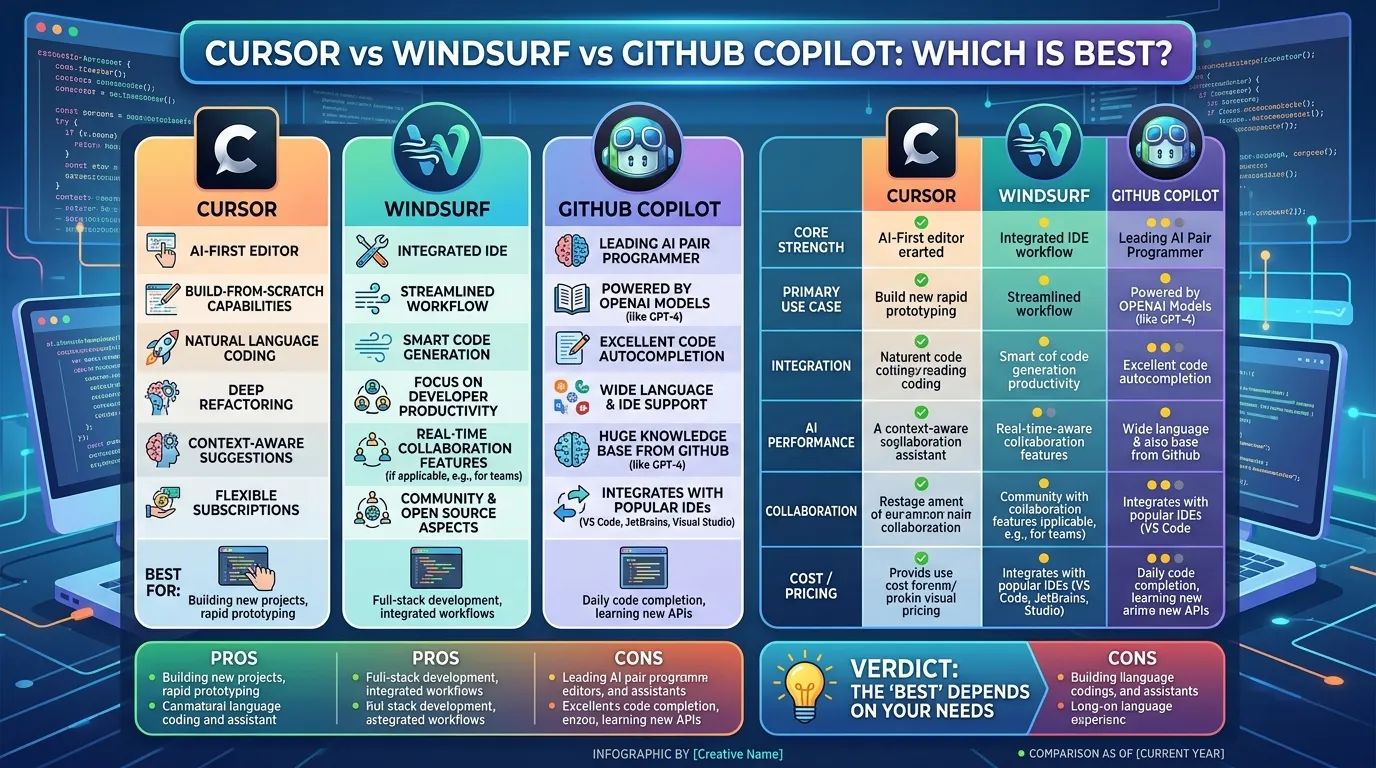
Cursor vs Windsurf vs GitHub Copilot: Which Is Best?

Choosing an AI coding tool can affect how you write code, debug problems, review changes, and manage larger projects. Cursor vs Windsurf vs GitHub Copilot is a useful comparison because these tools now do much more than basic code autocomplete. They can work with project files, generate code, assist with debugging, and handle larger agent-based tasks. The differences become more noticeable once you use them on a real application instead of a small coding example.
The current products also change quickly, so older articles can be misleading. Cursor’s current Pro plan costs $20 per month and includes extended Agent limits, access to frontier models, MCPs, skills, hooks, and cloud agents. GitHub Copilot has also moved toward usage-based billing through GitHub AI Credits. Windsurf has changed its product direction and pricing over time, which makes checking current information important.
In Cursor vs Windsurf vs GitHub Copilot, the main differences are not just about which tool can generate code. You also need to look at project context, agent behavior, editor support, GitHub integration, model choices, usage limits, and how much control you have over AI-generated changes. A developer working alone may care about different things than a team working with GitHub pull requests every day.
This guide looks at Cursor vs Windsurf vs GitHub Copilot through those practical points. It covers their main features, AI agents, code completion, project work, pricing, GitHub workflows, common mistakes, and everyday use. The goal is to make the comparison easier to understand before you choose a tool for your own development setup.
What Is Cursor?
Cursor is an AI-first code editor based on the VS Code codebase. Its interface will feel familiar to developers who already use VS Code, but AI features are built into the main editing workflow rather than added as a small extension.
In Cursor vs Windsurf vs GitHub Copilot, Cursor stands out for the amount of attention it puts on agent-based development. Its Agent can work with project files and perform multi-step coding tasks. The current paid plans also include access to cloud agents. Cursor says its cloud agents run in isolated virtual machines with development environments that can contain cloned repositories, dependencies, secrets, startup commands, and network access.
That makes Cursor useful for tasks that involve more than one file. You can give it a feature request, ask it to inspect the relevant code, make changes, and test the result.
There is still a need to review what the agent changes. AI can misunderstand an existing architecture or modify a file that looked related but was not meant to change.
Cursor’s current individual pricing has a free Hobby plan, a $20 monthly Pro plan, a $60 Pro+ plan, and a $200 Ultra plan. The paid plans include different levels of Agent usage. Cursor also supports on-demand usage after included model usage is consumed.
For a developer who uses agents every day, those limits matter more than the basic subscription price.
What Is Windsurf?
Windsurf is another AI-focused coding environment built around agent-based development. It puts more attention on AI carrying out coding tasks rather than simply suggesting individual lines.
Cascade is one of the main parts of the Windsurf experience. It can work with project files and perform multiple actions as part of a coding request.
The Windsurf product has changed during 2026, so older comparisons need to be treated carefully. Some articles still describe earlier pricing, product names, and features that may no longer match the current service.
That is one reason Cursor vs Windsurf vs GitHub Copilot comparisons can become outdated quickly. AI coding companies are adding new models, changing limits, and modifying their plans at a fast pace.
Windsurf is most relevant for developers who want an AI agent to participate in larger development tasks. Instead of asking only for a function, you can give the system a broader request and let it inspect the project before making changes.
That can save time during refactoring, debugging, test updates, and repetitive file changes. But the same rule applies here: more automation means more code to review.
What Is GitHub Copilot?
GitHub Copilot started as an AI coding assistant focused heavily on code completion and chat. It has expanded into a much larger development tool.
Today, Copilot includes features such as code completion, chat, agent mode, code review, cloud agents, and Copilot CLI. GitHub also continues to add models to the platform. For example, GitHub announced the availability of Claude Sonnet 5 in Copilot in June 2026, while Kimi K3 became generally available in August 2026.
That matters in Cursor vs Windsurf vs GitHub Copilot because model choice is now part of the comparison. Developers are not always tied to one AI model.
GitHub Copilot also has a close connection with GitHub itself. If your team already handles repositories, issues, pull requests, and reviews through GitHub, Copilot can fit into that workflow without requiring you to move everything to a separate platform.
The pricing system also needs attention. GitHub announced that Copilot plans would move to usage-based billing through GitHub AI Credits beginning June 1, 2026.
So when comparing current Copilot pricing, look at the included usage and AI Credit rules instead of relying on an old article that lists only a fixed monthly price.
Cursor vs Windsurf vs GitHub Copilot: Main Differences
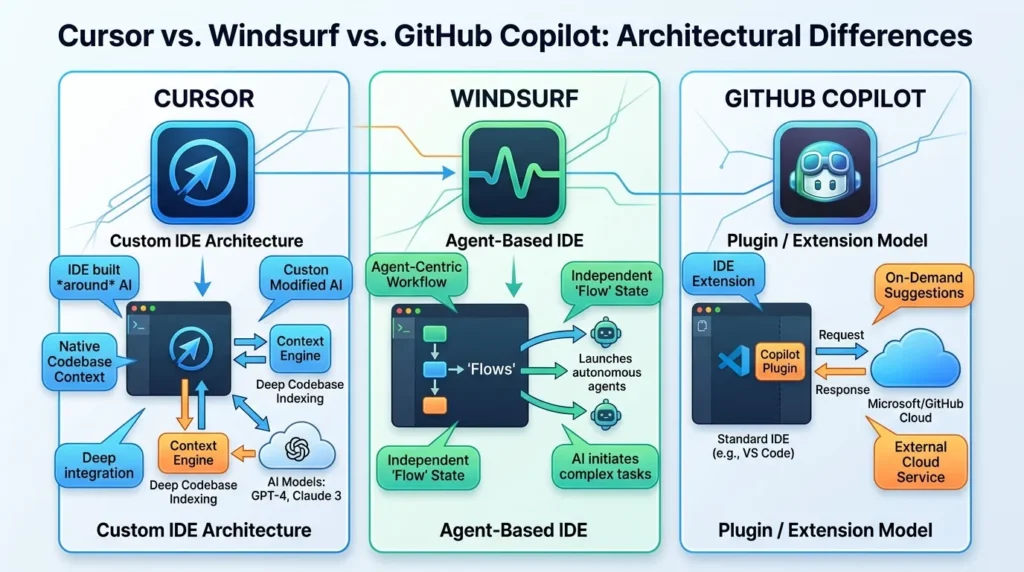
The easiest way to understand Cursor vs Windsurf vs GitHub Copilot is to look at what each product puts at the center of its workflow.
| Feature | Cursor | Windsurf | GitHub Copilot |
|---|---|---|---|
| Main approach | AI-first editor | AI-focused coding environment | AI assistant and coding platform |
| AI agents | Yes | Yes | Yes |
| Multi-file editing | Yes | Yes | Yes |
| Project context | Yes | Yes | Yes |
| Cloud agents | Yes | Yes | Yes |
| Model selection | Yes | Yes | Yes |
| GitHub integration | Yes | Yes | Deep GitHub integration |
| Free option | Hobby | Current plan dependent | Free plan available |
| Paid pricing | Starts at $20/month for Pro | Check current pricing | Uses plan and AI Credit structure |
The exact feature limits can change, so this table should be treated as a starting point rather than a permanent specification sheet.
Cursor’s current pricing page confirms that Pro includes extended Agent limits and cloud agents. Its cloud-agent documentation also says agents can work in isolated cloud environments and can interact with GitHub repositories.
AI Code Completion
Code completion remains useful even with advanced AI agents.
You type part of a function, class, loop, or configuration file. The tool predicts the rest. For common programming tasks, all three products can save time with this approach.
The difference appears when the code depends on your existing project.
A simple JavaScript function does not require much context. A change inside a large TypeScript application may require knowledge of types, imports, database functions, tests, and related components.
That is why Cursor vs Windsurf vs GitHub Copilot should not be judged only by short autocomplete examples.
Try each tool with your own project. Ask it to modify an existing function that is used in several files. Then inspect how well it handles the connections.
That test is much more useful than asking each tool to generate a simple calculator.
Also see: Legion Go S vs Steam Deck OLED: 10 Things You Should Know Before Buying
AI Agents and Multi-File Editing
AI agents are now one of the biggest parts of Cursor vs Windsurf vs GitHub Copilot.
An agent can take a larger request and perform several actions. It may inspect files, modify code, run commands, check errors, and continue working.
Cursor’s cloud agents run in isolated virtual machines and can work independently of your local computer. Cursor says they can run in parallel and can build, test, and interact with changed software.
GitHub Copilot also supports agent-based development and cloud agents. Its current product has moved far beyond the original autocomplete model.
Windsurf also centers its development experience around its agent.
This is useful when you need to:
- Add a feature across several files
- Update tests
- Fix related errors
- Refactor repeated code
- Change configuration
- Investigate a bug
- Modify frontend and backend code together
However, there is a tradeoff.
An agent can make several changes very quickly. If the request is unclear, it can also make several wrong changes very quickly.
That means version control and code review remain important.
Codebase Context
Project context can make a large difference in Cursor vs Windsurf vs GitHub Copilot.
Consider a project with hundreds of files. You ask the AI to change a database function. The correct solution may require changes to a service file, a type definition, an API endpoint, and a test.
The AI needs to find those connections.
Cursor’s cloud-agent documentation says its development environments provide agents with full project context, including repositories, dependencies, startup commands, and network access. It also supports multi-repository environments for tasks involving frontend, backend, infrastructure, or shared libraries.
Windsurf follows a similar general idea with project-aware agent work.
Copilot also works with repository context, particularly through GitHub’s own development environment and features.
For a small project, the difference may not be obvious. For a large application, it can become one of the first things you notice.
Editor and IDE Support
Your current development environment matters.
Cursor is a standalone editor based on VS Code. Developers familiar with VS Code can usually understand the basic interface quickly.
Windsurf also provides its own AI-focused development environment.
GitHub Copilot takes a different approach. It is available in supported development environments, which means you can keep using an IDE you already know.
This can make a real difference.
If you have spent years building shortcuts, extensions, debugging habits, and project settings around one IDE, switching editors has a cost.
On the other hand, if you are comfortable changing editors, an AI-first environment may give you a different workflow.
So in Cursor vs Windsurf vs GitHub Copilot, editor support should be part of the decision instead of an afterthought.
GitHub Integration
GitHub is where Copilot has a clear connection to a much larger development platform.
Copilot is built by GitHub, so its features can connect with repositories, pull requests, code review, issues, and other GitHub workflows.
Cursor can also work with GitHub repositories. Its cloud-agent documentation says users can connect GitHub and even trigger cloud agents from GitHub issues or pull requests using the appropriate Cursor command.
That means the difference is not simply “GitHub versus no GitHub.”
The real question is how deeply you want AI integrated into the rest of your development process.
If your team already uses GitHub for almost everything, Copilot may fit naturally. If you mainly want an AI-first editor for coding, Cursor or Windsurf may feel more focused on that task.
Pricing in Cursor vs Windsurf vs GitHub Copilot
Pricing is one of the easiest areas to get wrong.
Cursor currently lists Hobby as free, Pro at $20 per month, Pro+ at $60 per month, and Ultra at $200 per month. Cursor says each plan includes a set amount of model usage, with on-demand usage available after that amount is consumed.
GitHub Copilot changed its billing model in June 2026. GitHub announced that Copilot usage would consume GitHub AI Credits under the new system.
This means the monthly subscription price alone does not tell you the full cost.
Windsurf also needs a current pricing check because its plans have changed over time.
When comparing Cursor vs Windsurf vs GitHub Copilot, look at these points:
- Monthly subscription
- Included AI usage
- Agent limits
- Model availability
- Extra usage charges
- Cloud-agent costs
- Team pricing
- Annual billing
- Taxes where applicable
A cheaper subscription is not always cheaper for a heavy AI user.
Which Tool Fits Different Developers?
Different developers can reasonably choose different tools.
For someone who wants an AI-first editor with strong agent and cloud-agent features, Cursor is worth testing. Its current Pro plan includes access to frontier models and cloud agents, while its higher plans increase Agent limits.
For someone interested in an agent-centered coding environment, Windsurf is worth testing against the same real projects. Do not rely on older articles for its current plan details.
For developers already working heavily with GitHub, Copilot has a strong case based on its connection to repositories, code review, cloud agents, and GitHub’s broader development workflow.
The important thing is not to treat Cursor vs Windsurf vs GitHub Copilot as a contest where one tool must fit everyone.
Your project matters.
Your IDE matters.
Your daily AI usage matters.
Your budget matters too.
Common Mistakes When Choosing an AI Coding Tool
One common mistake is choosing an AI coding tool because its autocomplete looks impressive in a short demonstration.
That is not enough.
Another mistake is ignoring usage limits. An agent-heavy workflow can consume much more AI usage than occasional code completion.
A third mistake is accepting every generated change without checking it.
AI can produce code that looks correct and still contains a subtle problem. It can also remove code that seemed unnecessary but was supporting another feature.
Another mistake is using vague instructions for large tasks.
Instead of asking an agent to “fix the whole application,” give it a defined task. Mention the expected behavior. Point out important files when necessary. Ask it to run the relevant tests.
Small improvements to the request can reduce unnecessary changes.
How to Test Cursor vs Windsurf vs GitHub Copilot
The fairest way to compare Cursor vs Windsurf vs GitHub Copilot is to use the same tasks.
Start with a small feature.
Then give each tool a bug to investigate.
After that, ask each one to make a change involving several files.
Keep track of:
- Time required
- Number of files changed
- Number of corrections needed
- Test results
- Unnecessary edits
- AI usage
- Response speed
- Code quality
- Ease of reviewing changes
Use the same repository for all three.
Do not test one tool on a simple project and another on a large application. That makes the comparison unreliable.
You also do not need to run a huge benchmark. A few realistic development tasks can reveal a lot.
What Happens If You Choose the Wrong Tool?
Choosing the wrong AI coding tool does not usually damage a project by itself.
The bigger issue is wasted time.
You may spend money on features you rarely use. You may switch editors and discover that your old workflow was faster. You may also choose a plan with usage limits that do not fit your daily workload.
For teams, there can be additional issues. Developers may use different tools, creating different workflows and billing arrangements.
That is why Cursor vs Windsurf vs GitHub Copilot should be evaluated around your actual development habits.
Do you write code manually most of the time?
Do you want AI to handle multi-file tasks?
Do you use GitHub for code review?
Do you work inside VS Code or another IDE?
Do you need cloud agents?
Do you use AI for a few prompts each day or several hours every day?
Those answers matter.
Cursor vs Windsurf vs GitHub Copilot for Beginners
Beginners often need something slightly different from experienced developers.
A beginner may benefit from code explanations, simple autocomplete, debugging help, and clear error messages.
An experienced developer may care more about repository context, agent control, model selection, testing, and multi-file edits.
For that reason, Cursor vs Windsurf vs GitHub Copilot can produce different results depending on who is using the tool.
Beginners should also avoid letting the AI write an entire project without understanding the code. It is easy to end up with a working-looking application that becomes difficult to maintain.
Use AI to explain code as well as generate it.
Ask why a change is needed.
Ask what files are affected.
Ask for tests.
Then read the answer.
That habit matters regardless of which tool you choose.
Cursor vs Windsurf vs GitHub Copilot for Professional Development
Professional development adds another layer.
Teams need code review, security controls, repository permissions, billing controls, and predictable workflows.
Cursor’s cloud agents require source-control connections and repository permissions. Cursor also provides organization controls and spend-management features for team users.
GitHub Copilot has a natural place in organizations already using GitHub because repositories, pull requests, reviews, and AI coding features can work within the same platform.
Windsurf should be assessed using its current team and enterprise features rather than older product descriptions.
For professional use, do not test only coding quality.
Test administration too.
Final Thoughts on Cursor vs Windsurf vs GitHub Copilot
Cursor vs Windsurf vs GitHub Copilot is no longer a simple comparison between three autocomplete tools. All three are moving deeper into agent-based development, project-level coding, and automated software tasks.
Cursor currently offers an AI-first editor with Agent features, cloud agents, frontier model access, MCPs, skills, and hooks. Its current Pro plan is $20 per month.
Windsurf is also focused on AI agents and project-level development, but its product and pricing have changed during 2026. Check the current plan before making a purchase.
GitHub Copilot has expanded from autocomplete into agent mode, cloud agents, code review, CLI tools, and multiple model options. Its billing also changed in June 2026 through the GitHub AI Credits system.
The most useful way to approach Cursor vs Windsurf vs GitHub Copilot is to test each one with real work. Give them the same bug. Give them the same feature. Ask them to modify several files. Run the tests. Review the changes.
Then look at the cost.
The tool that fits your normal workflow is more important than the one that looks best in a feature list. That is the part worth testing before committing to a long-term subscription.