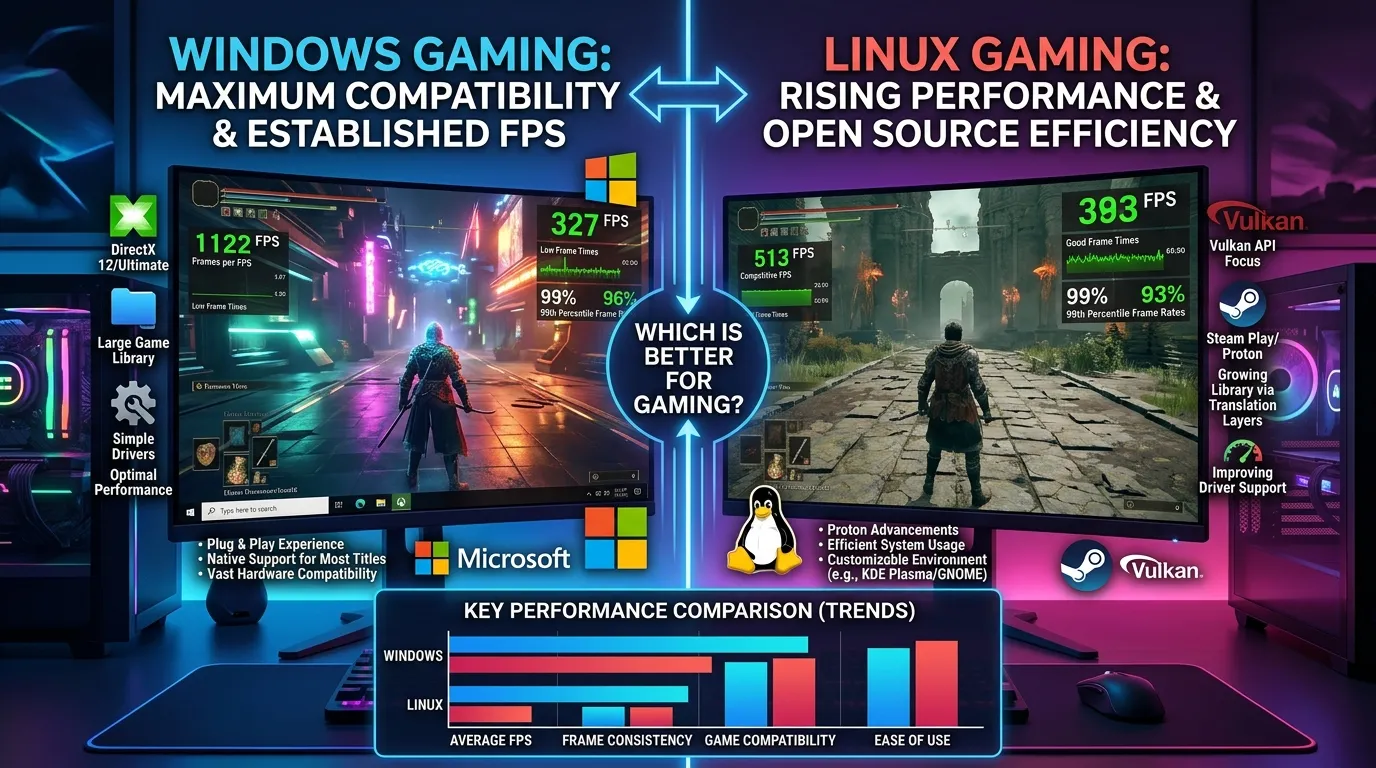
Linux Gaming Performance vs Windows: Which Is Better for Gaming?

Linux gaming has changed a lot, but one question still matters before choosing an operating system: how well will your games actually run? Linux Gaming Performance vs Windows can affect frame rates, loading times, controller support, game compatibility, and even how much time you spend fixing settings. A game that runs smoothly on Windows may need extra setup on Linux, while another may perform surprisingly well with the right tools.
I think the biggest surprise is how different the experience can be from one game to another. Some Linux setups deliver smooth gameplay with little effort, while certain games still work better on Windows because of anti-cheat systems, launchers, or driver support. In my opinion, raw FPS is only part of the story. Stability and compatibility matter just as much when you want to sit down and play.
This guide will break down Linux Gaming Performance vs Windows in practical terms. You will see how frame rates compare, how GPU drivers affect performance, what Proton changes for Linux gaming, and where Windows still has an advantage. You will also get a clearer idea of which system makes sense for different types of players.
So, before blaming your hardware for poor performance, look at the operating system too. A few software choices can make a real difference. The next sections compare Linux and Windows across the areas that matter most for everyday gaming.
Linux Gaming Performance vs Windows: Quick Answer
If you only care about maximum compatibility, Windows is still the safer choice.
If you care about gaming performance, privacy, customization, and the ability to use a Linux-based system while still playing a large Steam library, Linux is a serious alternative.
Here’s the short version:
| Category | Linux | Windows |
|---|---|---|
| Average gaming performance | Excellent, game-dependent | Excellent |
| FPS | Can match or exceed Windows in some games | Usually very consistent |
| Game compatibility | Very good, but not universal | Excellent |
| Steam support | Excellent | Excellent |
| Proton | Required for many Windows games | Not required |
| Anti-cheat | Major limitation for some games | Excellent compatibility |
| AMD GPU support | Excellent | Excellent |
| NVIDIA GPU support | Good and improving | Excellent |
| Older hardware | Can perform well | Depends on Windows version and hardware |
| Customization | Excellent | More limited |
| Competitive gaming | Depends heavily on game | Best overall |
| Game launchers | Can require extra setup | Usually straightforward |
| Overall ease of use | Improving | Easiest |
The important point is that Linux performance is not automatically worse than Windows. The result depends on the game, GPU, driver, graphics API, Proton version, desktop environment, and configuration.
Linux Gaming Performance vs Windows: What Really Changes?
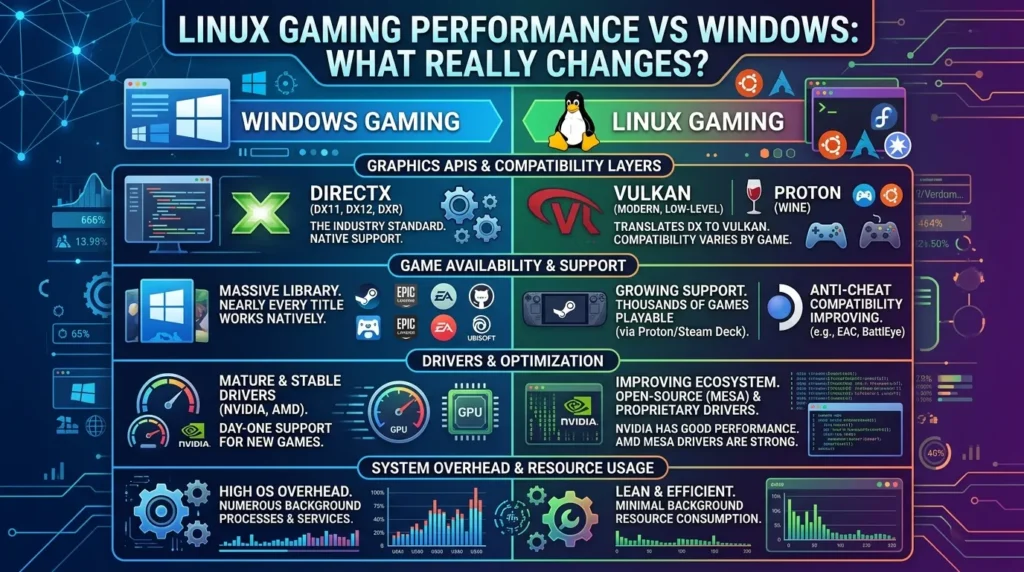
The biggest difference between Linux and Windows gaming is not always raw frame rate. Game support, graphics drivers, anti-cheat systems, launcher support, and configuration all affect the final experience. A game can run very well on Linux while another game may refuse to launch at all.
Windows still has broader game support. Most PC games are tested for Windows first, and many developers build their launchers and anti-cheat tools around it. Linux has improved a lot because of tools such as Proton, but compatibility can still vary from one title to another.
That makes a direct Linux Gaming Performance vs Windows comparison a little different from comparing two graphics cards. The operating system is part of the gaming setup. Your GPU, CPU, drivers, game engine, and the way the game runs through Linux all matter.
How Linux Gaming Performance Compares With Windows
Linux can deliver very good gaming performance on modern hardware. In some games, the frame rate can be close to Windows. In others, Linux may run slightly slower or faster depending on the game engine, graphics API, driver, and Proton version being used.
There is no single Linux performance number that applies to every game. A Vulkan-based game may behave differently from a DirectX game running through a compatibility layer. The same PC can also produce different results after a driver update or game update.
For that reason, looking at several games gives a better picture than testing one title. Competitive games, single-player games, older games, and newer AAA releases can all behave differently. This is one area where Linux Gaming Performance vs Windows needs a game-by-game approach.
Linux Gaming With Proton
Proton is one of the main reasons Linux gaming has become much more practical. It allows many Windows games to run on Linux without the developer creating a separate Linux version. Steam uses Proton to translate or handle parts of the Windows gaming environment on Linux.
Proton supports technologies such as DirectX translation to Vulkan. This means a Windows game that was built around DirectX can often run through a Linux setup using Vulkan-based components. The process is mostly handled behind the scenes.
Still, Proton does not guarantee that every game will work perfectly. A game may start but have graphical problems, missing features, poor performance, or online multiplayer issues. So checking compatibility before installing a game can save a lot of time.
Graphics Drivers and Gaming Performance
Graphics drivers have a direct effect on gaming performance. NVIDIA and AMD both provide Linux graphics support, but the experience can differ depending on the hardware and driver setup. AMD has strong support through the Linux graphics stack, while NVIDIA uses its own driver approach alongside open-source components.
Windows users usually have a simpler driver experience for gaming. GPU manufacturers provide Windows drivers with gaming features, control panels, and support for new releases. Linux users may need to understand which driver their distribution is using and whether a newer version is available.
This does not mean Linux drivers are poor. It means the setup can require more attention. A correctly configured Linux system can perform very well, but a poor driver setup can cause stuttering, crashes, or lower frame rates.
FPS and Frame Time Differences
Frames per second are an easy way to compare gaming performance, but FPS does not tell the whole story. A game showing 100 FPS can still feel unpleasant if frame delivery is uneven. Frame time matters because it shows how consistently each frame reaches the screen.
Linux can produce smooth frame delivery in many games. However, performance can change when a game runs through Proton. There is an extra software layer involved, so results depend heavily on the game and hardware.
Windows often has the advantage in games that are heavily optimized for DirectX and Windows drivers. Linux can close the gap in many titles, especially when the game works well with Vulkan and Proton. The difference may be small in one game and much larger in another.
Does Linux Use More or Less Hardware?
System resource use depends heavily on the desktop environment and background services. A lightweight Linux desktop can use relatively little memory when sitting at the desktop. That can leave more system memory available for a game.
Windows also uses background processes, services, security features, and other system components. Modern computers usually have enough memory to handle this without a major gaming problem. Still, on older hardware, the difference can be easier to notice.
For a gaming PC with plenty of RAM and a modern CPU, this difference is usually less important than the GPU driver and game compatibility. On an older machine, however, a lightweight Linux setup can be useful for keeping the system responsive.
Linux Gaming and Older PCs
Linux can be useful for older gaming computers, especially when Windows feels heavy on the same hardware. A lightweight Linux distribution can reduce desktop resource use and give an older PC a usable environment.
That does not mean Linux will magically make an old GPU run modern games. Hardware limits still apply. A ten-year-old graphics card will not suddenly deliver modern gaming performance because the operating system changed.
The bigger benefit is that Linux can keep an older system usable for compatible games. Older Windows games, indie titles, emulators, and games with modest hardware requirements can be good candidates.
Game Compatibility Is a Major Difference
This is where Windows has a clear practical advantage for many players. A huge number of PC games officially support Windows. Developers usually test their games on Windows, and new releases often arrive there first.
Linux has a large and growing library of playable games through Steam and Proton. But playable does not always mean identical. Some games work perfectly, while others need launch options, a different Proton version, or additional configuration.
Online games can create another problem. Anti-cheat software may block Linux even when the game itself runs correctly. Some developers support Linux through their anti-cheat configuration, while others do not. This can change over time, so compatibility should be checked for the specific game.
Competitive Gaming on Linux
Competitive gaming needs more than high FPS. Input delay, frame consistency, network behavior, anti-cheat support, and driver performance all matter. Linux can handle competitive gaming well when the game fully supports the platform.
The problem is game availability. Some major competitive titles depend on anti-cheat systems that do not support Linux. In those cases, the hardware may be perfectly capable, but the game still cannot be played normally.
Windows tends to be the safer choice for players whose main focus is competitive multiplayer. Linux can work well for supported titles, but checking each game before switching operating systems is important.
Linux Gaming Performance With AMD and NVIDIA
AMD hardware is often a strong choice for Linux gaming because much of the graphics support is built into the Linux graphics stack. Modern AMD GPUs can perform well with current Linux distributions and Mesa drivers.
NVIDIA hardware can also perform very well on Linux. However, the driver situation is different. Users need to pay attention to the proprietary NVIDIA driver, kernel compatibility, and distribution-specific setup.
For either brand, current drivers matter. A new game may depend on graphics features that older drivers do not handle correctly. Keeping the graphics stack updated can prevent problems, but updating right before an important gaming session is not always a great idea. A driver change can sometimes introduce a new issue.
Windows Gaming Features
Windows has years of gaming-focused development behind it. Features such as DirectX, Game Mode, graphics settings, GPU control software, and broad peripheral support are already familiar to most PC gamers.
Game developers also tend to target Windows first. That means new graphics features and optimization work often appear there before they reach Linux. Games using the latest Windows-specific technologies can therefore have an advantage on Windows.
Windows also makes things easier for users who do not want to troubleshoot. Install the game, update the driver, launch it, and change the graphics settings. It does not always work that cleanly, but that is still the expected workflow for most PC games.
Where Linux Can Be Better for Gaming
Linux has some practical advantages too. Users can choose from many distributions and desktop environments. A gaming-focused setup can be kept relatively clean, with fewer applications running in the background.
Linux also gives users more control over the system. You can choose the desktop environment, kernel options, software packages, drivers, and many other parts of the operating system. That level of control appeals to people who like to configure their own PCs.
Steam also makes Linux gaming easier than it once was. For supported games, Proton can handle much of the work without requiring the player to understand every technical detail. This has removed a lot of the old barriers to Linux gaming.
Game Launchers Can Cause Problems
Steam is usually the easiest place to start with Linux gaming. Other launchers can be more complicated. Games that depend on separate Windows launchers may require additional compatibility tools.
Epic Games Store titles, games using proprietary launchers, and games with unusual DRM can need extra steps. The game itself may run perfectly once configured, but getting there can take longer than it would on Windows.
This is another reason Linux Gaming Performance vs Windows is not just about FPS. Time spent installing and troubleshooting is part of the gaming experience too.
What About Game Loading Times?
Storage hardware has a much larger effect on loading times than the operating system in many cases. An NVMe SSD can make a major difference compared with an older hard drive. Game engine design also matters.
Linux can provide fast loading times, especially when the same game and storage hardware are used. However, shader processing can affect the experience. Some Linux games may compile shaders before or during gameplay to reduce graphical stutter.
Steam’s shader-related systems can help with this in supported games. Still, the first launch may take longer while shaders are processed. Once again, results depend on the individual game.
Which Operating System Uses Less Troubleshooting?
Windows generally requires less gaming-specific troubleshooting. That is partly because game developers, launcher developers, and hardware vendors target it directly. If something goes wrong, there is also a larger pool of Windows-specific support information.
Linux can require more research. You may need to check Proton versions, launch options, driver packages, compatibility reports, or community fixes. For someone who enjoys changing system settings, that may not be a problem.
For someone who wants gaming to be as simple as possible, it can become frustrating. This difference should be considered before changing operating systems based only on benchmark numbers.
How to Test Linux Gaming Performance Properly
If you want a fair Linux Gaming Performance vs. Windows test, use the same hardware. Keep the same resolution, graphics preset, refresh rate, and game version. Otherwise, the results can be misleading.
Test several games instead of one. Include a demanding AAA game, an online game, an older title, and at least one game that uses Vulkan. Record average FPS and, when possible, low-percentile FPS or frame-time data.
Also test after a cold boot and repeat the same section of the game. A random five-minute session does not tell you much. Consistent testing gives you a much better idea of how each operating system behaves.
Linux Gaming Performance vs Windows: Which One Fits Different Players?
Windows makes more sense for players who want maximum game compatibility with minimal setup. It is also the safer option for someone who plays several competitive games and does not want to check anti-cheat support for every title.
Linux can make sense for players who mainly use Steam, play supported games, enjoy open-source software, or want more control over their operating system. It can also be a practical choice for some older PCs.
The decision should come from the games you play most. Check those games first. If your main library works well on Linux, the performance difference may be small enough that other factors become more important.
Common Mistakes When Switching to Linux for Gaming
One common mistake is assuming every Windows game will work because Proton exists. Proton has made Linux gaming much better, but it does not remove every compatibility problem.
Another mistake is installing random drivers or commands from old forum posts. Linux changes quickly, and instructions written for an older distribution may no longer apply. Use current documentation whenever possible.
It is also easy to focus too much on benchmark numbers. If a game runs at 120 FPS instead of 130 FPS but works without crashes or configuration problems, the difference may be hard to notice during normal play. The same is true in reverse if a game refuses to launch.
Final Thoughts on Linux Gaming Performance vs Windows
Linux gaming is no longer limited to a small group of technical users. Modern distributions, Steam, Proton, Vulkan, and improved graphics support have made it a practical gaming platform for many people.
Windows still offers broader compatibility and a simpler path for most PC games. Linux can deliver strong performance, but the results depend on the game, GPU, drivers, Proton version, and online services involved.
The best way to compare Linux Gaming Performance vs Windows is to test the games that matter to you. Look beyond average FPS. Check compatibility, frame consistency, driver support, multiplayer access, and how much setup you are willing to handle. Those details will tell you far more than a single benchmark number.