Xemu Latest Version: What’s New in Xemu 0.8.136?

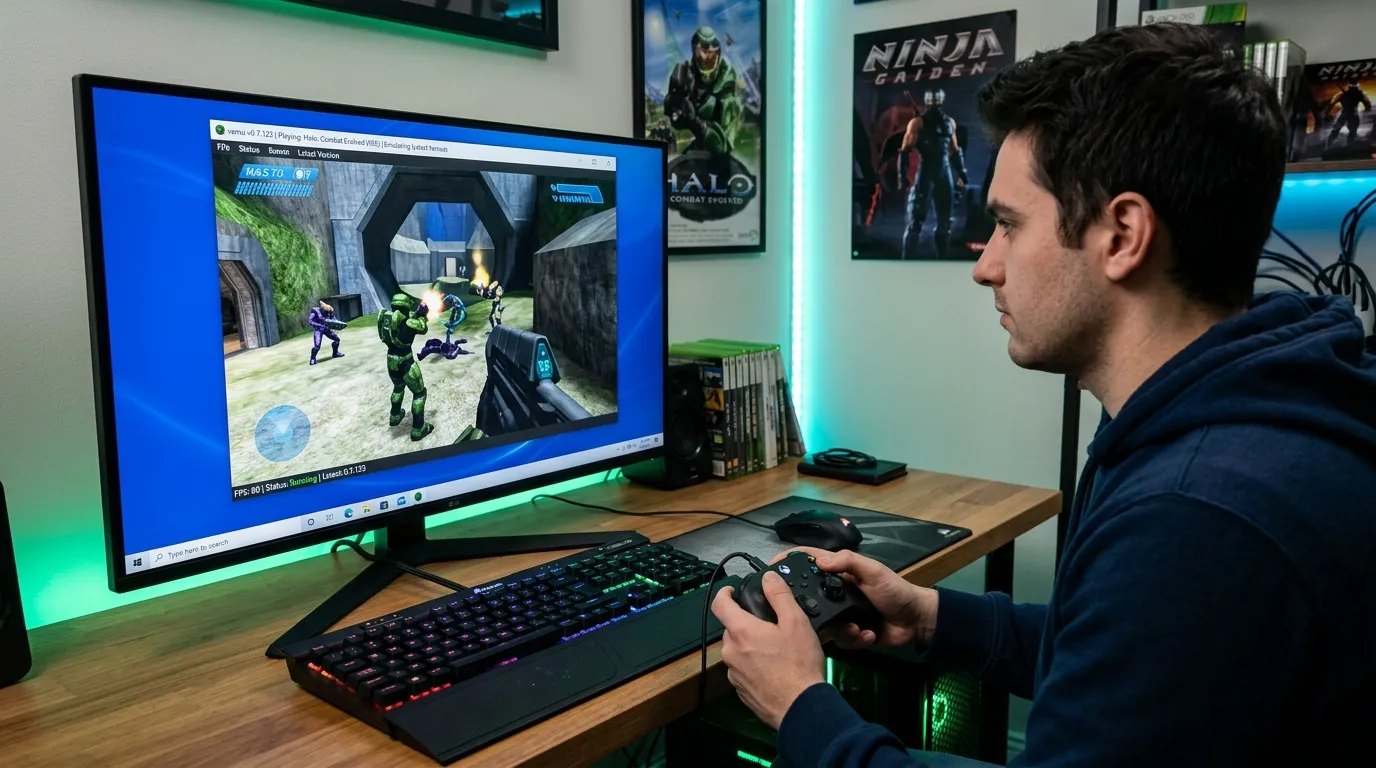
If you want to play original Xbox games on a PC, Xemu is one of the most popular options available. But with emulator development moving forward, one question comes up often: What is the Xemu latest version, and should you update?
As of August 2026, the latest stable Xemu release is version 0.8.136. It was released on June 8, 2026, and is available for Windows, macOS, and Linux. The official release notes list fixes related to macOS builds and additional architecture optimizations.
Xemu is an open-source emulator designed for the original Microsoft Xbox. It emulates the console’s hardware rather than simply translating individual games, which helps it support a wide range of Xbox software.
In this guide, we’ll look at Xemu 0.8.136, how to download it, what changed, the hardware you need, how to set it up, and what to know about game compatibility.
What Is Xemu?
Xemu is a free, open-source emulator for the original Xbox.
Xemu focuses on low-level emulation of the original Xbox hardware to reproduce console behavior on modern PCs.
The project is available for:
- Windows
- macOS
- Linux
Xemu’s official documentation says it uses low-level emulation to reproduce the hardware behavior of the original Xbox. This approach helps with compatibility across Xbox software.
Unlike an Xbox 360 or Xbox One emulator, Xemu focuses on the original Xbox generation.
That means games from the original Xbox library are its main focus.
What Is the Latest Xemu Version?
The latest stable Xemu release is:
Xemu 0.8.136
The official GitHub release page currently marks v0.8.136 as the latest release. It was published on June 8, 2026.
The release includes fixes and changes such as:
- A fix for macOS x86-64 build targeting
- Additional architecture optimizations
- Updated release builds for supported platforms
The official release page provides downloads for several Windows, macOS, and Linux configurations.
Because Xemu is still under active development, future versions may arrive after this article is published.
For that reason, it’s a good idea to check the official release page before installing an older build.
Xemu 0.8.136: What’s New?
The 0.8.136 release is not a huge feature-focused update.
Instead, it concentrates on fixes and build improvements.
According to the official release notes, two highlighted changes are related to macOS x86-64 builds and additional architectural optimizations.
macOS build improvement
One change fixes an issue where the build process could hardcode an IvyBridge target for macOS x86-64 builds.
This matters mainly to people using Xemu on Intel-based Macs or building the emulator themselves.
Additional architecture optimizations
The release also enables additional architectural optimizations.
These changes can help improve how the software is built for supported processor architectures.
For most users, the main takeaway is simple:
Xemu 0.8.136 is a maintenance-focused release rather than a version that completely changes how Xemu works.
Where Can You Download the Latest Xemu Version?
The safest place to get Xemu is the official Xemu website or official Xemu GitHub repository.
Official Xemu Releases on GitHub
Xemu is free and open source, so you don’t need to pay for the emulator itself. The official download documentation provides platform-specific installation options.
Avoid downloading emulator files from random file-sharing websites.
A third-party download may contain an outdated build or modified files.
Xemu Download Options
Xemu supports multiple computer platforms.
The official project provides builds for:
- Windows
- macOS
- Linux
It also supports different processor architectures.
The official download documentation lists both x86_64 and aarch64 support.
The official download documentation lists both x86_64 and aarch64 support.
Linux users also have additional installation choices, including Flatpak and an Ubuntu PPA for recent Ubuntu releases.
Linux users also have additional installation choices, including Flatpak and an Ubuntu PPA for recent Ubuntu releases.
Xemu System Requirements
Before installing Xemu, make sure your computer meets the basic requirements.
Xemu officially supports:
- Windows
- macOS
- Linux
The official documentation states that Xemu requires an OpenGL 4.0-compatible GPU. It also notes that most recent integrated GPUs should work.
Basic requirement overview
| Component | Requirement |
|---|---|
| Operating system | Windows, macOS, or Linux |
| Graphics API | OpenGL 4.0-compatible GPU |
| GPU | Modern dedicated or integrated GPU |
| CPU | Modern x86-64 or supported ARM processor |
| Storage | Enough space for Xemu and your game files |
| Controller | Compatible gamepad recommended |
Your exact performance will depend on your processor, graphics hardware, drivers, resolution, and the game you’re running.
Does Xemu Work on Windows 10 and Windows 11?
Yes.
Xemu supports current versions of Windows, with the official documentation stating that Windows releases that are no longer supported by Microsoft are not officially supported by Xemu. Windows versions before Windows 10 are not officially supported.
For most PC users, Windows 10 or Windows 11 is the practical choice.
If you’re having trouble launching Xemu on Windows, check your graphics drivers and make sure your hardware meets the OpenGL requirement.
It’s also worth checking the Xemu issue tracker because individual builds can have platform-specific problems.
For example, reports filed in 2026 show that some users experienced launch problems with Xemu 0.8.136 on specific Windows hardware configurations.
That does not mean the release is unusable for Windows users. It simply shows why checking current compatibility reports can be useful when troubleshooting.
Does Xemu Work on macOS?
Yes.
Xemu provides macOS builds, including universal builds for supported Macs. The official release page includes macOS packages for the latest version.
Xemu’s 0.8.136 release also includes a fix related to macOS x86-64 build targeting.
If you’re using an Apple Silicon Mac, make sure you select the appropriate build.
Does Xemu Work on Linux?
Yes.
Xemu officially supports Linux.
Linux users can install Xemu via Flatpak or PPA.
The official documentation provides Flatpak instructions and an Ubuntu PPA for Ubuntu 22.04 and newer.
The official documentation provides Flatpak instructions and an Ubuntu PPA for Ubuntu 22.04 and newer.
For Flatpak, the documented installation command is:
flatpak install -y app.xemu.xemu
You can then launch it with:
flatpak run app.xemu.xemu
The official Xemu documentation provides these commands and installation details.
How to Install Xemu on Windows
Installing Xemu on Windows is fairly simple.
Step 1: Download Xemu
Get the latest Windows build from the official Xemu download page or GitHub release page.
Step 2: Extract the archive
If the download arrives as a ZIP file, extract it to a folder of your choice.
Step 3: Launch Xemu
Open the extracted folder and run the Xemu executable.
Step 4: Configure the required files
Xemu needs specific Xbox system files before it can properly run games.
Step 5: Configure your controller
Connect a compatible gamepad and configure it through Xemu’s controller settings.
Step 6: Add your legally obtained game images
Once the system is configured, you can load compatible Xbox game images.
What Files Does Xemu Need?
This is one of the most important parts of setting up Xemu.
Xemu requires Xbox system files, including:
- MCPX Boot ROM
- Flash ROM/BIOS
- Xbox hard-disk image
The official Xemu documentation provides details about these files.
You should obtain copyrighted Xbox firmware from hardware that you own or through another lawful method.
Xemu also provides a pre-built 8GB Xbox hard-disk image that contains no copyrighted content and includes a basic open-source dashboard.
This can make the initial setup easier.
What Is the Xemu MCPX Boot ROM?
The MCPX Boot ROM is part of the original Xbox’s startup system.
Xemu needs a compatible MCPX dump to reproduce the console’s boot process.
The official FAQ says the MCPX and BIOS dump should come from a version 1.0 Xbox and provides guidance about compatible BIOS configurations.
If these files are missing or incorrect, Xemu may fail to boot properly.
Do You Need an Xbox BIOS for Xemu?
Yes.
Xemu requires a compatible Xbox BIOS/Flash ROM.
The exact BIOS version can affect compatibility.
The official documentation explains that the BIOS and MCPX files need to be compatible and warns that mismatched or corrupted files can cause startup problems.
If you see an error such as:
“The guest has not initialized the display”
the problem may be related to missing, mismatched, or corrupted MCPX and BIOS files.
Does Xemu Need an EEPROM File?
Not necessarily.
Xemu’s FAQ states that a default EEPROM file will be created if you don’t provide one.
This makes the initial setup easier because you don’t have to create an EEPROM file manually.
However, if you’re working with a specific Xbox configuration, you may need to understand how the EEPROM relates to your virtual Xbox setup.
How to Add Games to Xemu
Once Xemu is installed and the required system files are configured, you can load your legally obtained original Xbox games.
Xemu supports Xbox disc images and related formats.
The exact process depends on how you obtained and dumped your game.
The important point is that you should create game backups from media you legally own rather than downloading copyrighted games from unauthorized websites.
Xemu’s documentation includes a dedicated guide for disc images and explains several methods for creating usable game images.
Xemu Game Compatibility
Unlike modular multi-emulator frontends configured via a RetroArch 3DS core, Xemu uses a specialized standalone low-level hypervisor Specifically designed for original Xbox silicon.
However, not every original Xbox game behaves perfectly.
Compatibility can change between Xemu versions.
The official website provides individual game compatibility pages and testing information.
When checking a game, look for:
- Playable status
- Graphical problems
- Audio problems
- Performance issues
- Known crashes
- Required settings
- Recommended Xemu versions
This is especially important if you’re having problems with one particular title.
Does Every Xbox Game Work on Xemu?
No.
Xemu has strong compatibility, but emulation is complicated.
Some games may:
- Run perfectly
- Have minor graphical glitches
- Have audio problems
- Require special settings
- Have performance problems
- Fail to boot
- Work better on a particular Xemu version
The official compatibility database exists specifically to track these differences.
So if one game isn’t working, don’t immediately assume that your computer or Xemu installation is broken.
Check the game’s compatibility page first.
Best Xemu Settings
There is no single set of settings that is perfect for every game.
A good starting point is to leave most settings at their default values.
Then change individual settings if you encounter a problem.
Start with these basics:
- Use the native or recommended resolution
- Keep graphics settings at their default values
- Use a compatible controller
- Keep GPU drivers updated
- Avoid unnecessary background applications
- Test one change at a time
If a game has graphical problems, check the game’s compatibility information before changing several settings at once.
This makes it easier to identify what fixed the problem.
Xemu Performance
Xemu performance depends on your computer and the game.
Xemu performance depends on your computer and the game.
The official Xemu documentation notes that performance can change as development continues.
The official Xemu documentation notes that performance can change as development continues.
This means a newer version isn’t automatically faster in every game.
An update may improve one title while introducing a regression in another.
For example, a current 2026 compatibility issue report describes uneven performance in Soulcalibur II after changes in newer Xemu builds, with the reporter noting that older versions did not show the same issue.
This is one reason to check compatibility information before changing versions.
Should You Update to Xemu 0.8.136?
For most users, yes, updating to the latest stable release is a sensible choice.
Xemu 0.8.136 includes fixes and build improvements, and it remains the current release listed by the official project.
However, there is one exception.
If a specific game works correctly on an older Xemu version but has problems after updating, you may want to compare compatibility reports before switching versions permanently.
The Xemu project itself acknowledges that performance and compatibility can change during development.
A simple rule:
New installation: Start with Xemu 0.8.136.
Existing installation that works well: Update if you want the latest fixes, but keep your previous version available until you’ve tested your important games.
How to Update Xemu
Updating Xemu is generally simple.
1. Check the official release page
Look for the newest stable version.
2. Download the correct build
Choose Windows, macOS, or Linux based on your computer.
3. Back up your configuration
Before replacing your current installation, make a copy of your Xemu configuration and important files.
4. Replace the old executable
Extract the new version into your Xemu directory.
5. Start Xemu
Check that your BIOS, MCPX, hard-disk image, controllers, and game paths are still recognized.
6. Test your games
Start with a few games you know worked correctly before the update.
This gives you a quick way to spot compatibility changes.
Xemu Controller Support
Xemu supports a variety of game controllers.
The official documentation specifically covers Xbox One and Xbox 360 controllers. On Windows and Linux, these controllers should generally work without an additional driver. On macOS, the documentation notes that an additional driver may be needed for certain Xbox controllers.
You can also use other compatible gamepads depending on your operating system.
For original Xbox games, a controller with two analog sticks, triggers, a D-pad, and the usual face buttons is the most practical choice.
Does Xemu Support Online Multiplayer?
Yes.
Xemu’s networking documentation says Xbox networking is supported and can connect Xemu instances with one another and even with real Xbox consoles, locally or over the internet.
Xemu provides three network backends:
- NAT
- UDP Tunnel
- Bridged Adapter
The correct choice depends on your network setup and what you want to do.
This makes Xemu more than a single-player emulator.
Common Xemu Problems and Fixes
Xemu Won’t Start
Check:
- Your GPU driver
- OpenGL support
- Operating system version
- Xemu build
- Antivirus or security software
- Whether you downloaded the correct architecture
If you’re using Windows and Xemu 0.8.136 doesn’t launch, check the current issue tracker for reports related to your specific hardware. Some users reported launch failures on particular systems after updating to 0.8.136.
Xemu Shows a Black Screen
A black screen can be caused by incorrect or missing Xbox system files.
Check your:
- MCPX Boot ROM
- BIOS
- EEPROM
- Hard-disk image
The official FAQ specifically points to missing, mismatched, or corrupted MCPX and BIOS images as a possible cause of display initialization errors.
Games Run Slowly
Try:
- Checking GPU drivers
- Lowering rendering resolution
- Closing unnecessary applications
- Checking the game’s compatibility page
- Testing another Xemu version
- Checking your system temperatures
Remember that performance can vary between games.
Controller Doesn’t Work
Try:
- Reconnecting the controller.
- Checking whether the operating system detects it.
- Opening Xemu’s controller settings.
- Re-mapping the buttons.
- Testing another USB port.
- Updating the controller driver if required.
Windows and Linux generally provide straightforward support for Xbox One and Xbox 360 controllers.
Xemu vs Other Xbox Emulators
Xemu is focused on original Xbox emulation.
It isn’t an Xbox 360 emulator.
That’s an important distinction when searching for Xbox emulation software.
If your goal is original Xbox games, Xemu is one of the main projects worth researching.
Its active development, open-source codebase, cross-platform support, and compatibility database make it particularly useful for people interested in preserving and playing original Xbox software on modern computers.
Is Xemu Safe to Use?
Xemu itself is an open-source project.
The safest approach is to download it from the official Xemu website or official GitHub repository rather than from an unknown third-party website.
The project publishes its source code publicly and provides official releases through GitHub.
You should also keep your operating system and graphics drivers updated.
If a website offers a “special Xemu version” bundled with games or system files, be cautious.
Is Xemu Free?
Yes.
Xemu is a free, open-source original Xbox emulator.
You don’t need to buy a license to use the emulator.
However, the emulator being free does not mean copyrighted Xbox games or firmware can be downloaded freely.
Use game backups and system files that you have the legal right to use.
Xemu Latest Version: Pros and Cons
| Pros | Cons |
|---|---|
| Free and open source | Some games still have compatibility problems |
| Supports Windows, macOS, and Linux | Setup requires Xbox system files |
| Active development | Performance varies between games |
| Large compatibility database | Some releases can introduce regressions |
| Supports original Xbox games | Not an Xbox 360 emulator |
| Supports networking | Troubleshooting can require technical knowledge |
| Supports multiple controller types | Older hardware may struggle |
Frequently Asked Questions
What is the latest Xemu version?
As of August 29, 2026, the latest stable release listed by the official Xemu project is Xemu 0.8.136. It was released on June 8, 2026.
What is Xemu used for?
Xemu is an emulator for the original Microsoft Xbox. It runs on Windows, macOS, and Linux.
Is Xemu free?
Yes. Xemu is free and open source.
Does Xemu work on Windows 11?
Yes. Windows is one of Xemu’s officially supported platforms, provided the system meets the required hardware and graphics requirements.
Does Xemu work on macOS?
Yes. Xemu provides macOS builds, including universal builds.
Does Xemu work on Linux?
Yes. Xemu officially supports Linux and provides installation options such as Flatpak and an Ubuntu PPA.
What GPU does Xemu need?
Xemu requires an OpenGL 4.0-compatible GPU. The official documentation says most recent integrated GPUs should work.
Do I need Xbox BIOS files for Xemu?
Yes. Xemu requires compatible Xbox system files, including an MCPX Boot ROM and Flash ROM/BIOS.
Can Xemu play every original Xbox game?
No. Compatibility varies between games. Xemu maintains a compatibility database where users can check individual titles.
Can Xemu emulate Xbox 360?
No. Xemu is designed for the original Xbox, not Xbox 360.
Should I update to Xemu 0.8.136?
For a new installation, starting with the latest stable version is generally a good choice. If you already have a setup that works perfectly, test your important games after updating because compatibility and performance can change between releases.
Final Verdict: Is Xemu 0.8.136 Worth Using?
If you’re looking for an original Xbox emulator, Xemu 0.8.136 is a strong choice.
The latest release continues the project’s development with fixes and architecture-related improvements. It supports Windows, macOS, and Linux, and the official project maintains a detailed compatibility database for Xbox games.
The main thing to remember is that Xemu isn’t a simple “download and play every Xbox game” application.
You’ll need compatible Xbox system files, properly prepared game images, suitable hardware, and sometimes game-specific settings.
For most new users, the best approach is straightforward:
Download Xemu 0.8.136 from the official source, set up the required files legally, configure your controller, and check the compatibility page for the games you want to play.
If you’re already using an older version, don’t delete it immediately. Keep a backup, install the newer release separately, and test your favorite games.
That small precaution can save you trouble if a particular game performs better on an earlier build.
With its active development, open-source code, cross-platform support, and growing compatibility, Xemu remains one of the leading options for original Xbox emulation on modern PCs.